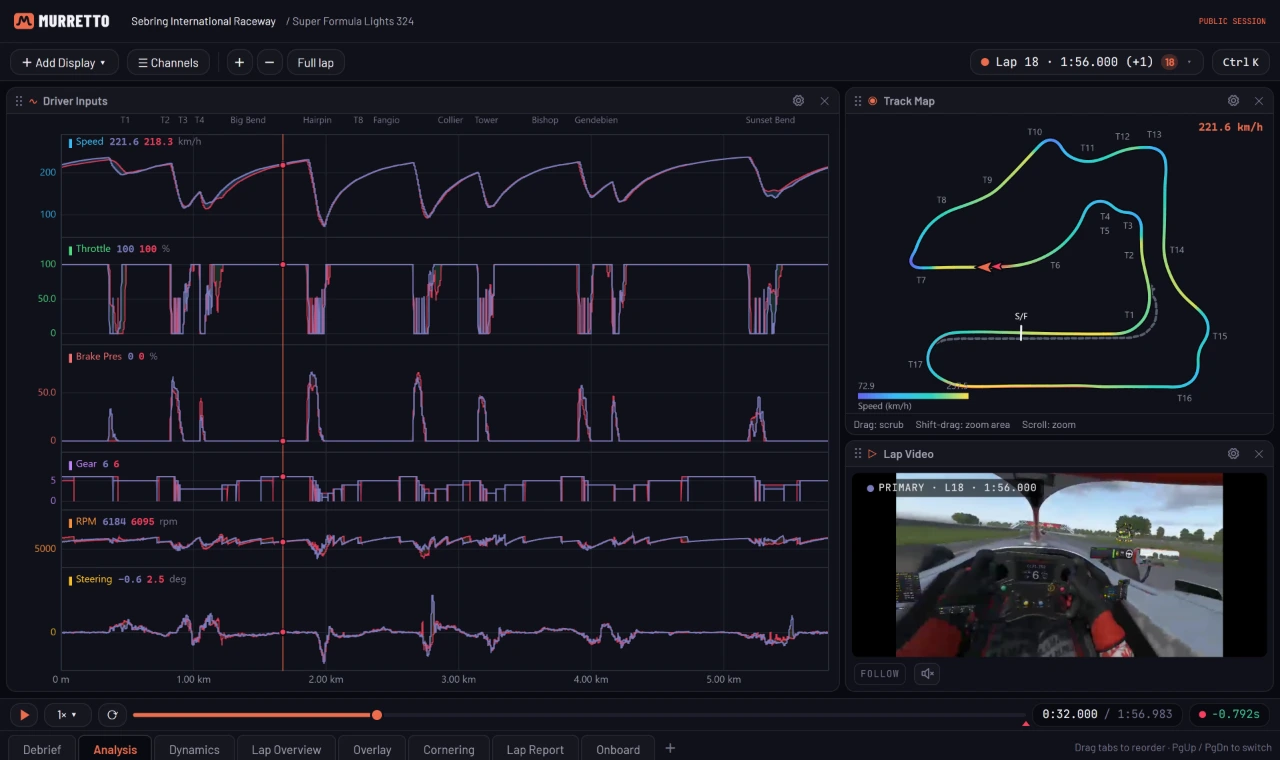
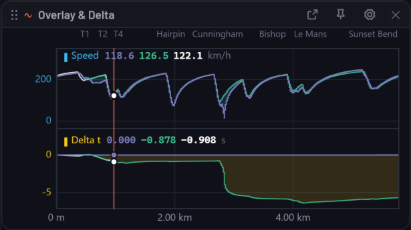
The recorder keeps every lap you drive, with full telemetry and onboard video, the moment you cross the line. Lay any two laps over each other, see exactly where the time went and take it back to the car.
Overlay laps from your library on one linked cursor, with the time delta, sectors and corner names on every trace. Scrub the onboard video and the data follows.
Speed, inputs, gear, RPM and steering on one timeline
Corner table, G-G plot and math channels
Two onboard videos held at the same point on track
Live tyres
See the tyres iRacing hides
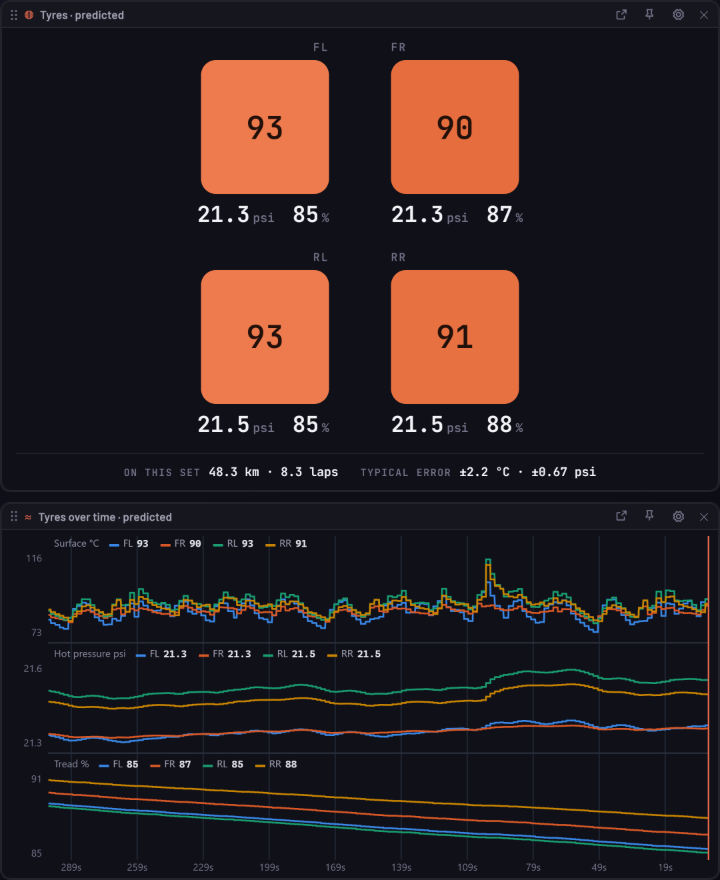
On track, iRacing’s live data has no tyre temperatures, hot pressures or tread. Murretto predicts all three for every tyre while you drive, and always labels them as predictions.
Surface temperature for all four tyres, updated as you drive
Hot pressure from your cold pressures, and tread from the wear model
Nothing to set up: iRacing, for your own car
Live
Your delta, as it happens
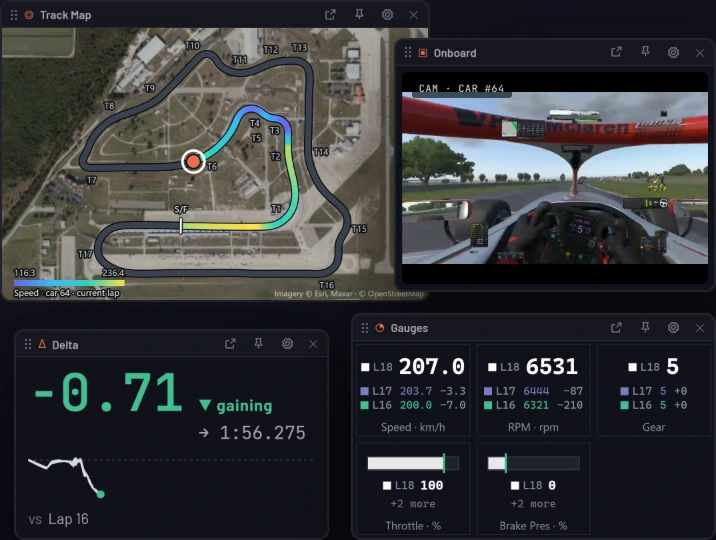
Put the live delta, gauges, track map and onboard camera on a second screen or a tablet beside the rig, measured against the lap you choose.
Live delta against any lap in the session
Track map on satellite imagery, with corner names
Onboard video on every lap
In the box
Everything a driver keeps
Lap library
iRacing telemetry files import on their own. Laps group by session, with the weather and track conditions they were driven in.
Onboard video
Every lap carries its onboard clip, synced to the telemetry. Your fastest lap in each condition keeps its video for good.
Setups that travel
iRacing and Assetto Corsa setups sync from your PC and stay attached to the lap they produced.
Leaderboards
Compare against your own laps, your team, or every driver who has opted in to the global board.
Brake trainer
Practise the braking of any leaderboard lap with your own pedals before you take it to the track.
AI coach
On Ultimate, the coach finds which corners cost you time and what to change in each one.
Session debriefs
Race, pace, strategy and incidents on one page after every session.
Share links
Send an analysis or a race report as a link. Whoever opens it sees exactly what you see.
Plans
Free to record every lap
Recording, analysis, live timing and share links are free. Premium and Pro keep your onboard video longer, and Ultimate adds the AI coach and Race Intelligence.
Murretto records from iRacing, Le Mans Ultimate, rFactor 2, Assetto Corsa Competizione, Assetto Corsa EVO, Assetto Corsa and F1 23–24. The available channels vary with each simulator.
Do I need a team or a crew?
No. Everything works for one driver. Invite a crew or join a team whenever you like.
What do I need to install?
The recorder: a small Windows tray app that runs beside the sim and starts recording on its own. Analysis runs in any browser.
How long is my onboard video kept?
On Free, your fastest lap in each condition keeps its video for good and other onboard video is kept for 7 days. Premium keeps every lap’s video for 90 days, and Pro for a year.